
Green Summer Preparation Tips and Season Home Preparation Tips
Posted by Norman F, May 31st, 2026

Summer is rapidly approaching, it is time to clean up your place. Getting ready for summer can generate a lot of waste. The warmer weather opens up the opportunity to get outside more often as well as requires us to cool down the home.
EWG has a nice list of tips to help you clean your house the green or more eco-friendly way.
- When traveling on vacation, try to carpool, take public transportation, or walk as much as possible
- Check the exterior of your home and repair any cracked or flaking paint,. Time to apply caulk, weatherstrip and paint.
- Check and clean gutters, downspouts again
- Remove and clean storm windows (if you have them)
- It is time to work on your garden, sprinkler system, and rejuvenate your lawn
- Check your water heater for leaks and sediment, turn down its temperature if possible
- Check your garden’s irrigation system and outdoor taps
- Look for termites, ants, and other pests
- The heater will get a rest, so it’s time to check and clean your air conditioner and its filters. Have a HVAC professional do seasonal maintenance
- Check your roof and patch or replace any damaged areas. This is the time to fix leaks
- Check and clean chimney if necessary
- Consider a solar electric system and/or battery backup
- If you live in a windy area, consider a wind turbine
- If you your car needs replacement, consider purchasing a hybrid or all electric car
Filed under: Cleaning, Conservation, Easy, Eco Friendly, Effort, Energy, Environment, Green, Home, Indoor Air Quality, Money, Reduce, Shopping, Solar | Tags: Air conditioner, inverter air conditioner, summer |

Happy Earth Day, Wednesday April 22. It’s great that more attention is being paid to eco friendly, green causes. Earth Day started slow, but has gained momentum every year. We celebrate it everyday as do many of our readers. Look for local events in your community.
It was first celebrated in 1970, and since then it has grown to become a global movement involving more than 1 billion people in over 190 countries. The day is marked by various activities such as tree-planting, recycling campaigns, and educational events aimed at promoting environmental conservation and sustainability.
Take time to help educate friends, neighbors, family members, and strangers about ways to lead a more eco friendly or green lifestyle. Only through extended enlightenment, can the cause succeed. Read the rest of this entry »
Filed under: Alternative Energy, Cleaning, Conservation, Eco Friendly | Tags: earthday |

New rebates have been added.
Utility Company Con Edison has a bunch of programs and incentives to help save energy and money.
- $85 rebate for getting a Smart Thermostat
- Save Thousands when you make your Home Weather ready
- EV Drivers SmartCharge New York Program
Questions?, call 1-877-870-6118.
Filed under: Alternative Energy, Conservation, Eco Friendly, Effort, Energy, Green, Home, Medium, Reduce, Shopping | Tags: Con Edison, Con Edison Rebates, Energy Efficiency Rebates |
10 Green Spring Cleaning Tips and Season Home Preparation Tips
Posted by Norman F, February 1st, 2026

Spring is rapidly approaching, it is time to clean up your place. EWG Has a nice list of tips to help you clean your house the green more eco-friendly way.
- Check the exterior of your home and repair any cracked or flaking paint
- Check and clean gutters again
- It is time to work on your garden and rejuvenate your lawn
- Inspect and test your sprinkler system. It will be needed soon
- Clean out your garage and closets. The holiday season is over and it is time to donate useless items and recycle other things
- Bad weather is over. Your car needs some TLC. Change its oil if necessary, get an inspection, clean and wax its exterior
- Check and clean chimney if necessary
- The heater will get a rest, so it’s time to check your air conditioner and its filters
- Check your roof and patch or replace any damaged areas
Spring cleaning is a yearly tradition that involves deep cleaning and decluttering the home in the springtime. It is a time to refresh the living space, get rid of the old and make room for the new
Filed under: Cleaning, Easy, Effort, Health, Home, Indoor Air Quality, Shopping | Tags: chemicals, EWG, green cleaners, kitchen cleaners, MSDS, Spring cleaning Tips |

Happy New Year from EasyEcoBlog!
May the new year bring you lots of luck and prosperity, and more greenness! Only through education can we learn how to be eco-friendly, green. We all need to learn new ways of doing things and need to help teach our friends and neighbors how to do things the right way.
Did you know that the psychological stress that the holidays bring causes us to eat too much and automatically steer towards comfort foods full of fat and sugar?
Setting New Year’s resolutions can be a great way to focus on personal growth and positive changes.
Filed under: Cleaning, Conservation, Easy, Eco Friendly, Effort, Electronics, Energy, Environment, Green, Health, Home, Kids, Kitchen, Money, Organic, Recycling, Reduce, Reuse, Shopping | Tags: Diet, Exercise, New Years, New Years Resolutions |
Winter Green Pest Control Tips – Ants, Organic Pesticides
Posted by Norman F, December 15th, 2025

Winter time brings on the bugs, seemingly at the same time every year. The ants in our area seem to love to visit our kitchen when the first heavy rains hit. Almost everyone has to deal with pests. Whether indoor or outdoors, we need to think about eco friendly, green alternatives to toxic pesticides. Here are some Winter Pest Control Tips that we have found from trial and error.
Access control – Finding Where Ants are Coming From
Filed under: Easy, Eco Friendly, Effort, Environment, Food, Green, Home, Kitchen, Money, Shopping | Tags: allergies, Ants, bed bugs, Corn meal, d-Limonene, Diatomaceous earth, Green Pest Control, histamine, Orange peel extract, Organic Pesticides, Pest control, Pesticide |
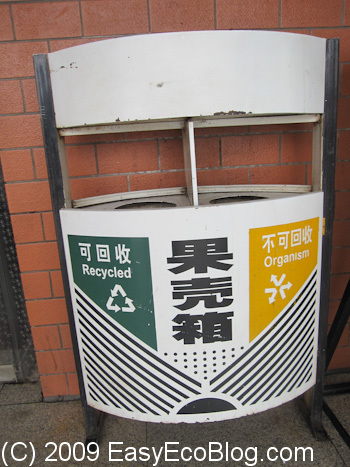
The New Year brings forth resolutions to get rid of all the stuff we have accumulated all year long. You probably added to your pile of items during the holidays, so it is time to get rid of the old and de-clutter. Because we are green, eco-oriented, we need to do this the right way.
Unfortunately, We all have stuff we do not want. Here are some resources for redirecting unwanted items to people in need and saving them from the land fill. Be sure to look at our tutorial on recycling electronics.
eBay is a good place to sell off items of value. You can use a eBay trading assistant company, but you will be getting even less money. Be sure to take the time to write a detailed description and to upload quality photos that show the product in a good light. You will maximize your return with all the tedious listing and dealing with deadbeats. Trading in your item will net you far less money.
How to have a Eco Friendly or Green Christmas – Recycling Gift Wrap, Holiday Cards, LED Lights, and Trees
Posted by Norman F, December 1st, 2025

Having an Eco Friendly Green Christmas is more and more desirable these days. Beside losing all the gained weight, we can do the following to have a more green and healthy holiday.
How can you Green your Christmas?
- Reduce the number of trips you need to make or take public transportation
- Buy your fruits and vegetables from a local farmers market or from local sources.
- Buy organic when possible, except for product on the Clean 15 list
- Utilize reusable bags to hold groceries
- Don’t over cook or serve too much food
- Eat on real dishes and use cloth napkins
- Rent or buy your decorations from used clothing stores like Goodwill. Reusing items that you already have is even better.
- Donate extra food, money, clothing to those in need
- Compost the leftovers, fruits, vegetables, etc.
- Give out green oriented treats like organic fruit, re-purposed trinkets
Filed under: Cleaning, Conservation, Easy, Eco Friendly, Effort, Home, Recycling, Reduce | Tags: Christmas, gift wrap, Holiday Cards |

Let’s face it, the harsh weather in Winter can really test your home. Winter is the time of the year to help protect the value of your home and save energy by making several adjustments. Now is not the time to remodel or repaint your home, but a time to fine tune the operation of your home. You’re basically dialing in any changes you may for Fall, and should move major fixes to springtime.
In October/November when the daylight savings time change occurs, it is time to work on your Smoke Detectors – Carbon Monoxide Alarms.
Carbon Monoxide Detector – Smoke Alarms
How to have a Green Valentine’s Day – What is Eco Friendly Green Sex?
Posted by Norman F, February 1st, 2025

Having an Eco Friendly Green Valentine’s Day or any holiday, is more and more desirable these days. How can you green your Valentine’s Day?

- Instead of a Valentine’s Day card, send a virtual Valentine’s Day card or make your own card
- Dark Chocolate has been found to have worrisome levels of dangerous heavy metals. How about some other treat?
- If you must send flowers, try to purchase flowers that were grown locally to your area or ones that are Fair trade Certified
- Why spend a large amount of money and resources eating out, when a romantic dinner is even better?
- Buy your meats and vegetables for your big meal from a local farmers market or from local sources
- Buy any new garments from a high-quality used clothing store
- Utilize reusable bags to hold gifts
- Compost any meals leftovers, flowers, cards etc.
- Give out green oriented treats like handwritten poems, homemade scents, and handmade arts and crafts.
- Observe eco-friendly romantic relations
Filed under: Conservation, Easy, Eco Friendly, Effort, Events, Food, Green, Home, Money, Reduce | Tags: Safe Sex, Valentine's Day |